
VAT operations platform · Egypt
Close the monthly VAT cycle in hours, not days
rashid-mg downloads your clients’ e-invoices from the tax authority, splits the VAT from each invoice’s own lines, flags anything unusual, and prepares the SAP draft once an accountant approves.
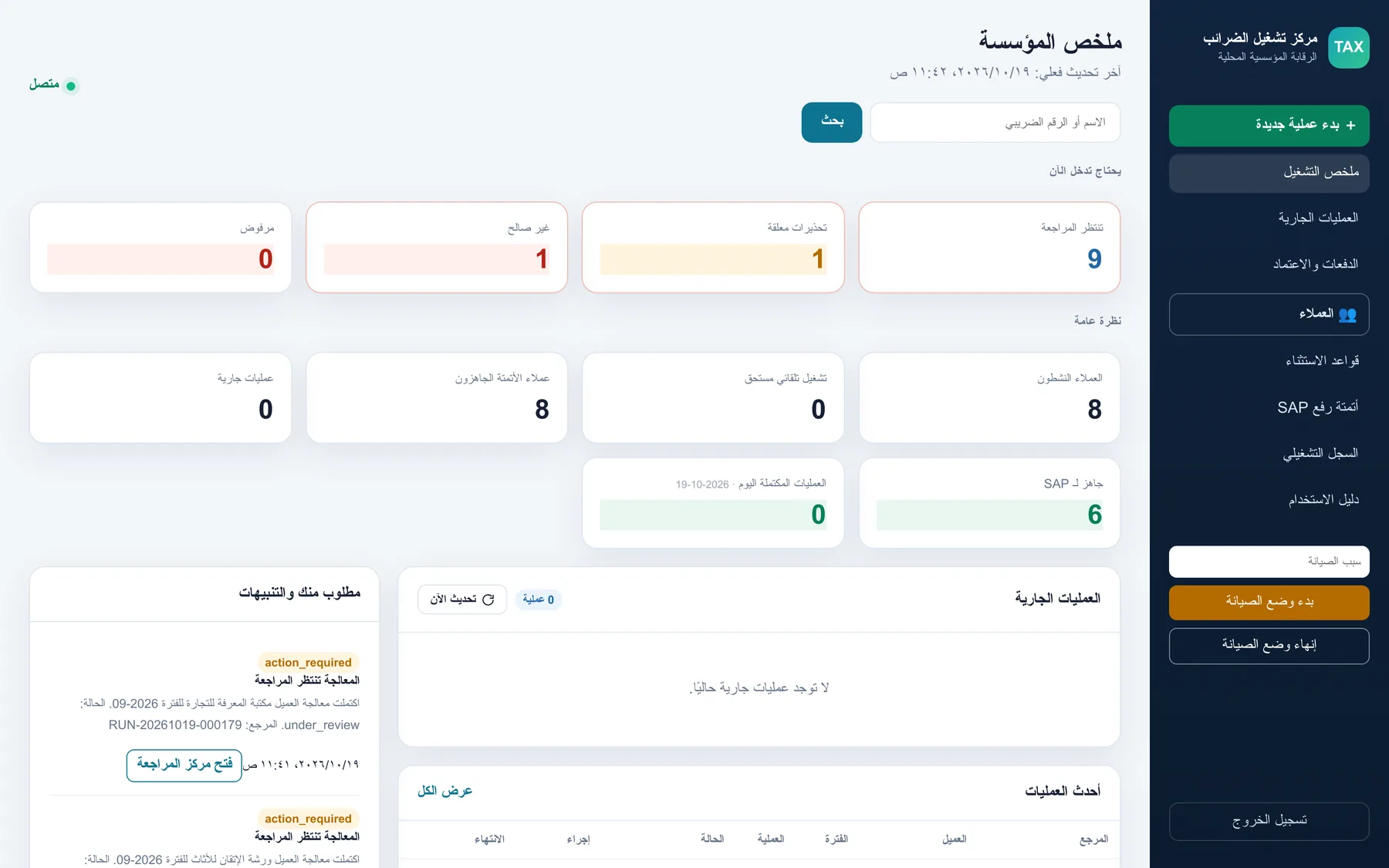
All screens on this page show fictional demo data.
- Runs inside your office
- One licence per office
- Protected by an intellectual-property rights certificate
- Windows, macOS and Linux
- Arabic interface, right to left
- Accountant approves every upload
The problem
The same manual cycle, every month, for every client
A firm serving dozens of companies downloads, sorts and re-checks invoices by hand. One wrong figure ends up in a government filing, and nobody can show afterwards how it got there.
How it works
From e-invoice to approved draft in four steps
01
Download
Invoices come straight from the e-invoicing system, for the client and period you choose, or on the schedule you set.
02
Process
Each invoice is split into 14%, 10%, exempt or mixed from its own detail lines. Nothing is estimated from totals.
03
Review
Anything unusual shows as a warning. The accountant reviews, excludes or approves.
04
Draft
Only after approval is the SAP draft prepared. Every decision stays in the operations log.
What you get
Built for the way accounting firms actually work
VAT from the invoice lines
Every line is classified by its own tax and reconciled with the invoice header. An invoice with no detail lines stops the run with a clear message.
Warnings before approval
Mismatches and unusual figures surface before anyone approves, so mistakes are caught early.
Scheduled and manual runs
Run clients automatically on a schedule, or start a controlled run yourself, without changing the client’s schedule.
Empty periods handled
A verified period with no documents is a recorded result, not an error and not a silent skip.
Per-client policy
Each client has its own VAT-rate mode and exception rules, edited from the dashboard.
A complete audit trail
Every operator decision is recorded: who approved what, when, and why.
See the screens
An Arabic, right-to-left operations console. Click a screen to enlarge it.
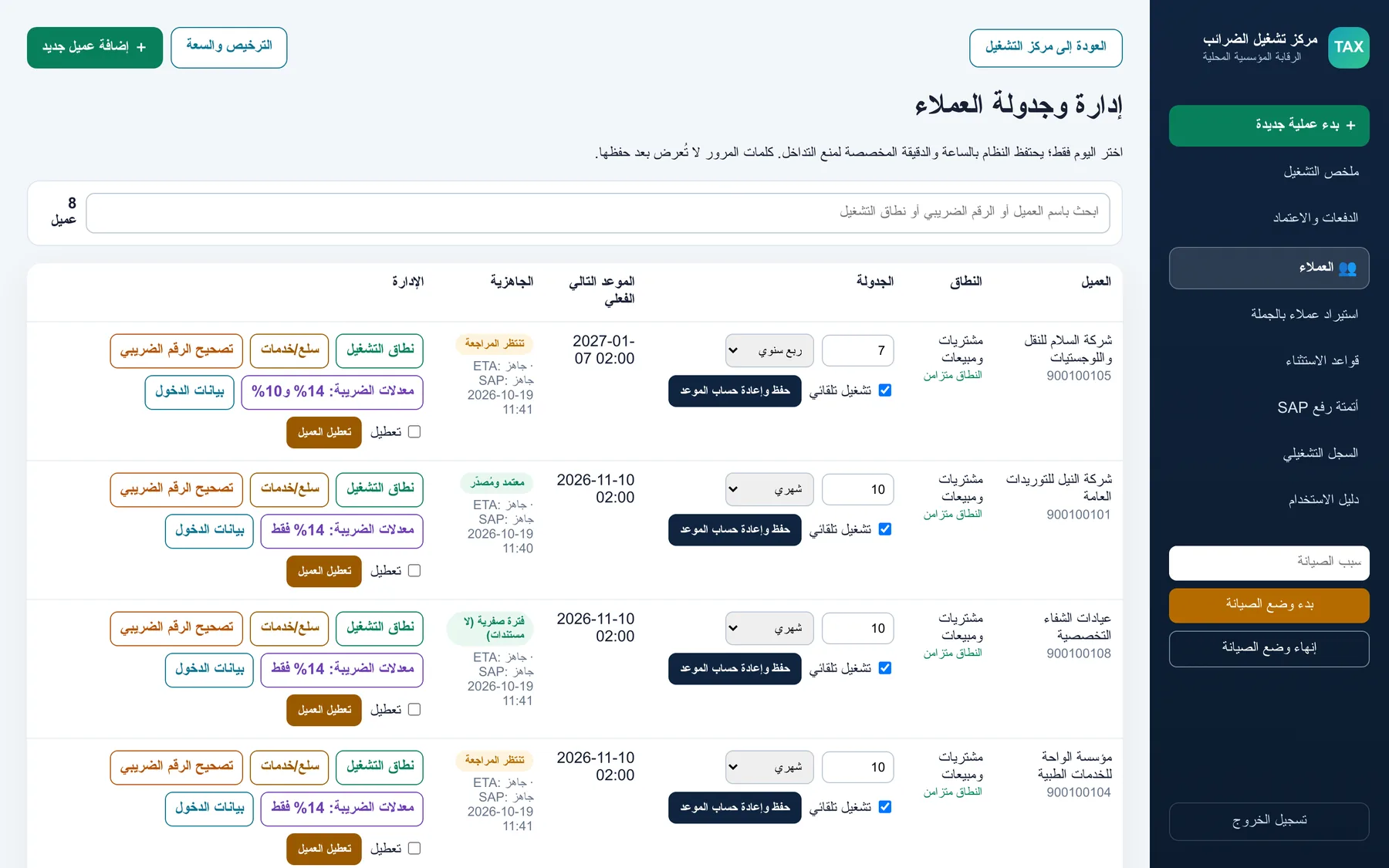
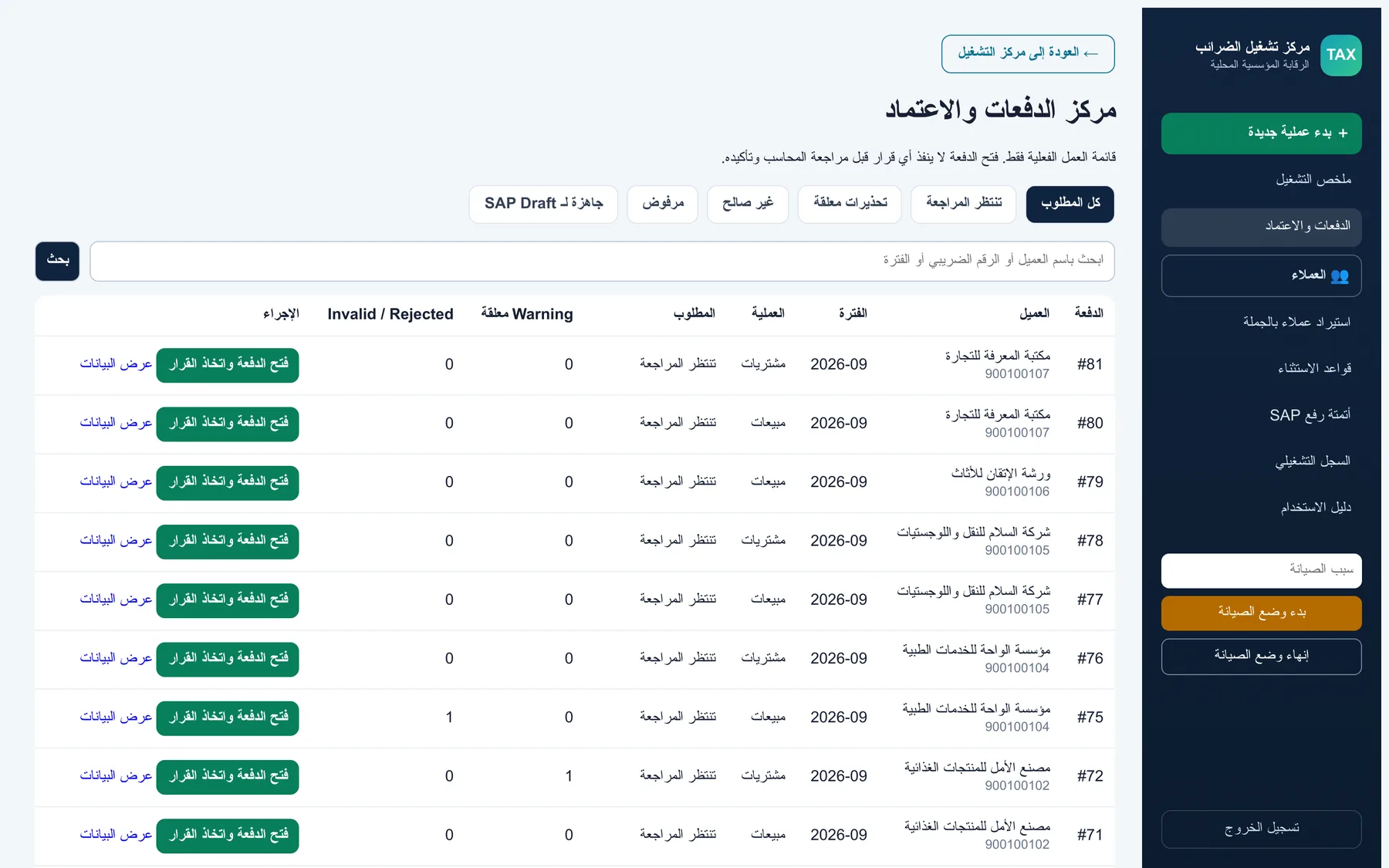
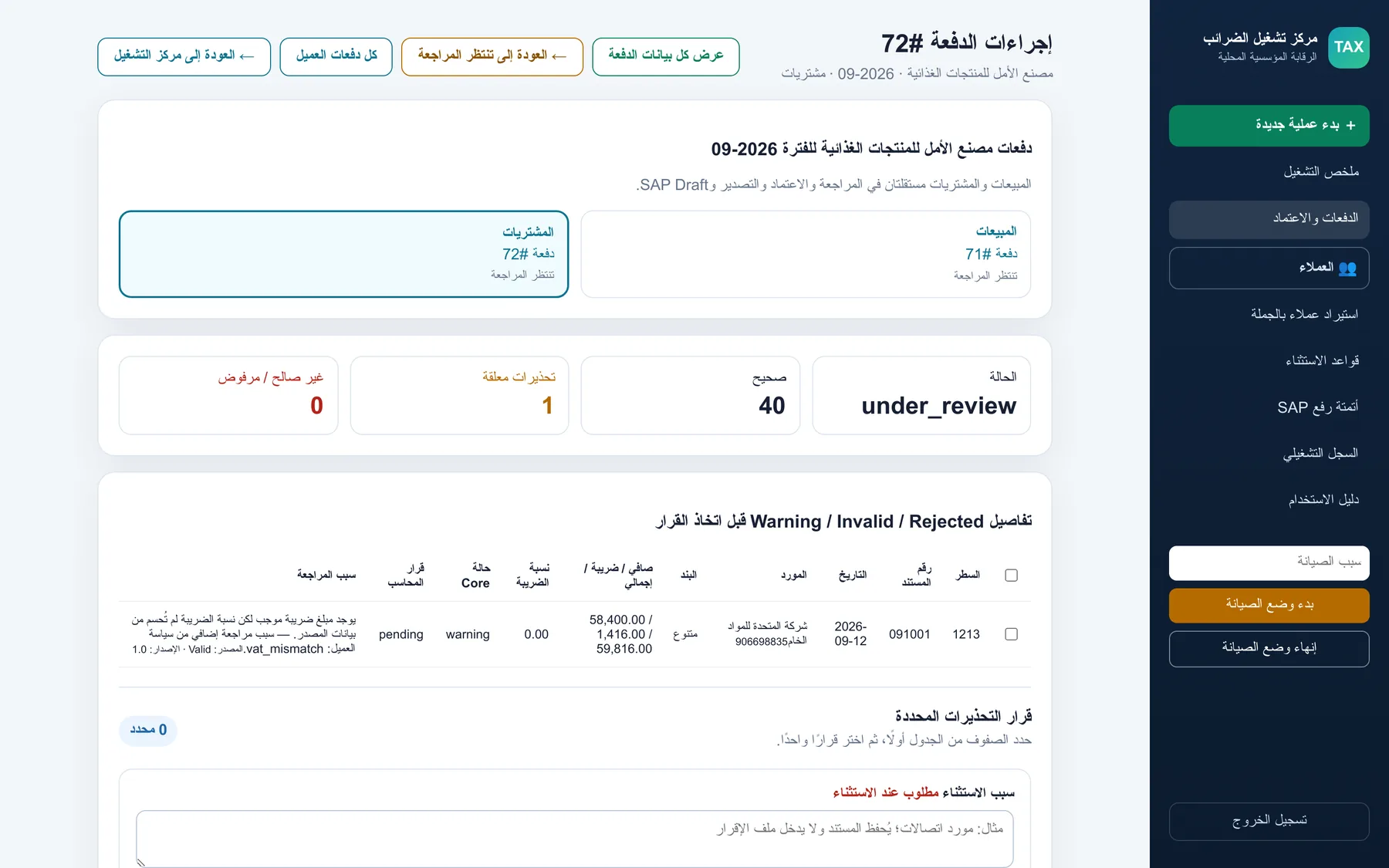
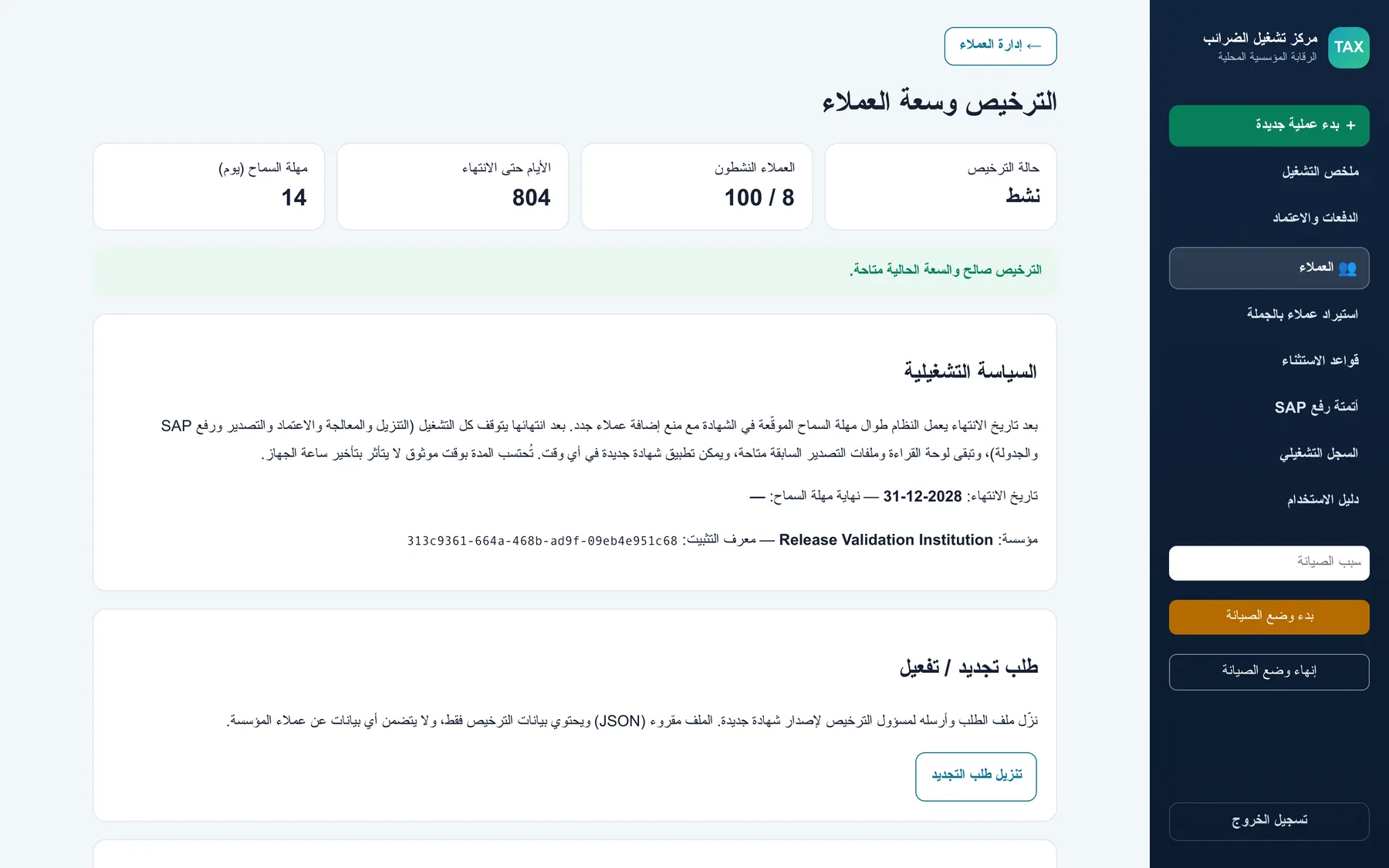
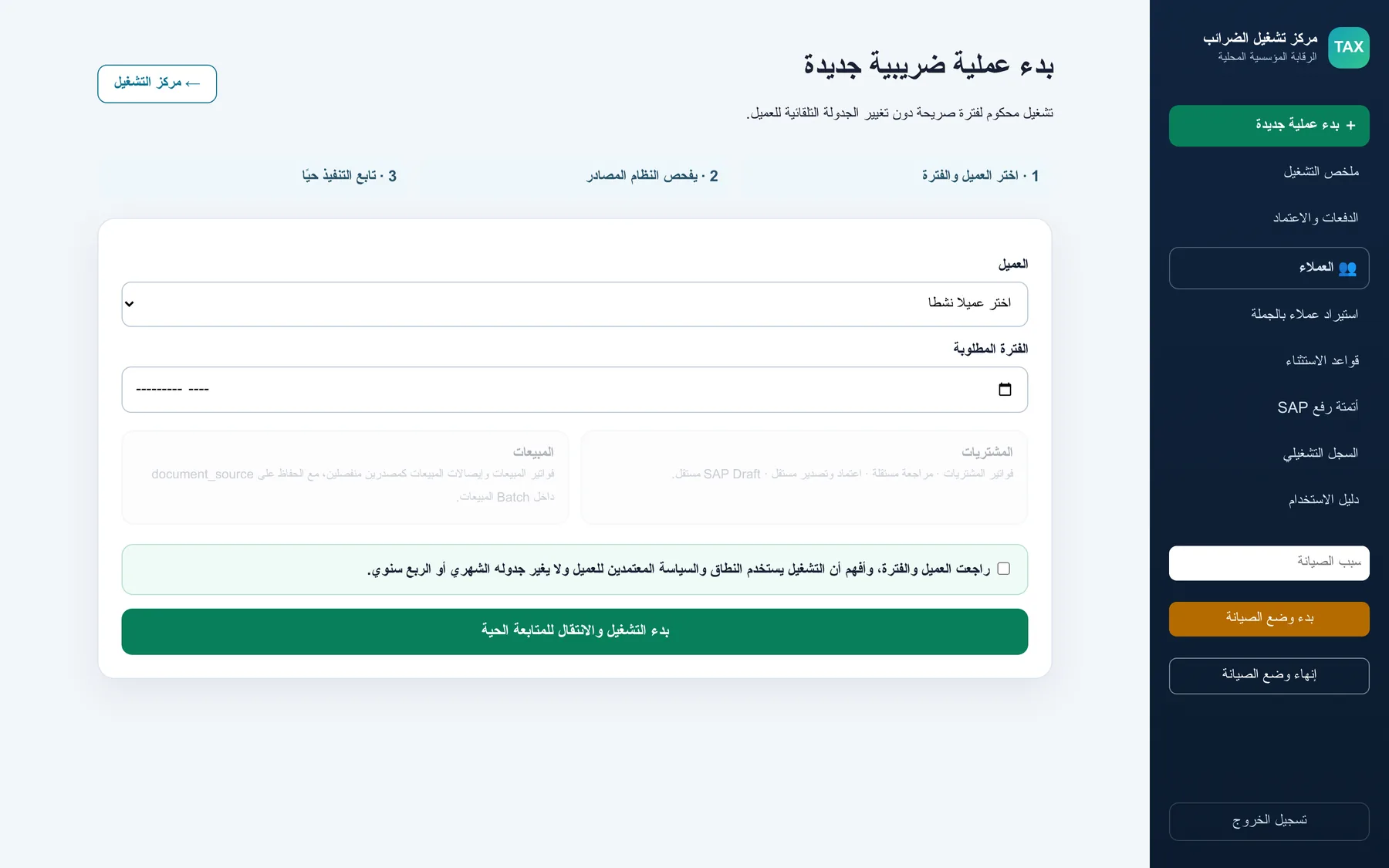
- Operations summary — Batches waiting review, warnings and SAP-ready counts.
- Client registry — Status per client, VAT-rate mode and verified empty periods.
- Batches and approval — The approval centre with filters.
- Warning detail — A VAT mismatch flagged before the accountant decides.
- New operation — Choose the client and period, review the scope, then follow the run live.
- Licence and capacity — Licence status, active clients, days to expiry and the renewal request.
Delivery and licensing
Your own installation, licensed for your office
rashid-mg is not a shared online service. It is an on-premise system: installed inside your office, on Windows, macOS or Linux, so your clients’ data stays with you.
- On-premise installation on your own machine or server, on Windows, macOS or Linux, with install and upgrade scripts.
- One signed licence per office, with a client capacity that fits the firm.
- A grace period after expiry keeps the system working, and a renewal request file carries licence data only, never your clients’ data.
- Terms and a quote are tailored to your office: there is no public price list.
The product is protected by an intellectual-property rights certificate.
See it with your own eyes
Two ways to try it
01
Trial on your device
I set rashid-mg up on your machine with a trial certificate, so you can run it with a sample of your own workflow.
02
Live walkthrough
I show you the system running on my side, with demo data, and answer your questions on the spot.
Questions firms ask
Where does my clients' data live?
Inside your own office. rashid-mg runs on your own machine or server (on-premise); it is not a shared online service.
Does anything reach SAP without a person deciding?
No. Nothing is prepared for upload before an accountant approves the batch.
What happens when the licence expires?
The system keeps working for a grace period but no new clients can be added. After that, processing stops while the dashboard and earlier exports stay readable, and a new licence can be applied at any time.
How much does it cost?
The licence is per office and quoted for your firm. Request a demo and we will talk about what fits.
Can I try it first?
Yes: either a trial on your device with a trial certificate, or a live walkthrough on my side.
Request a demo
Tell me about your firm and which option you prefer: a trial on your device, or a live walkthrough. I will reply as soon as possible.
Want the engineering story?
The case study walks through the decisions behind rashid-mg, the architecture and the tests.
hello@rashed2dev.com · +971 50 347 9321
ETA and SAP are names of their respective owners. rashid-mg is an independent product and is not affiliated with them.